Show Template
A show template stores the foundational settings that are reused across multiple shows. Rather than re-entering venue details, fee structures, and rules for every show, you configure a template once and select it when creating shows.
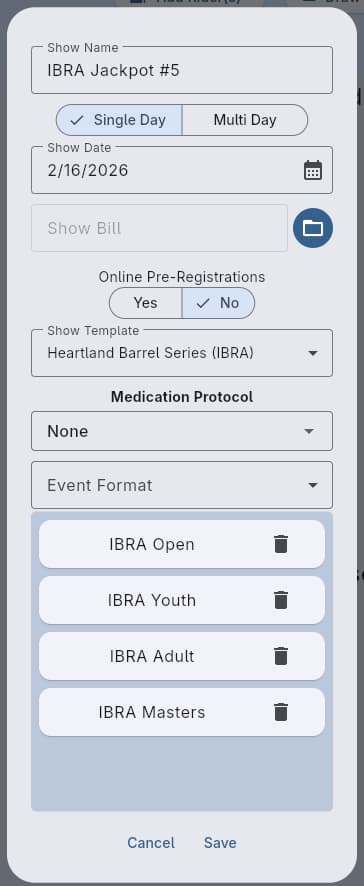
You can create as many templates as you need. A single season can contain shows using different templates - this is common when you produce events at different venues or under different rule sets.
Settings
Template Name
An internal identifier for the template. This name is not visible to competitors - it’s for your own organization.
Organization Name
The “Produced By” name that appears on websites and printed materials. This is typically the name of your barrel racing club or production company.
Show Start Time
The default day-1 start time used when a new show is created from this template. Each show keeps its own per-day schedule (see Show) - changing the template’s start time does not retroactively rewrite the per-day schedules of existing shows.
Location
Full venue details displayed on the website and printed materials:
- Location Name - Venue or arena name
- Address - Street address
- City and State
- Zip Code
Expo Runs
Optional pre-show exhibition runs. When enabled, you can configure:
- Expo Start Time and Expo End Time - Defaults used to seed day 1 of a new show. Each day of a multi-day show can override these (including turning expo off on some days) from the show form.
- Expo Fee Tiers - Bundle pricing for expo runs (e.g., 1 for $2, 3 for $5). Add multiple tiers to offer bulk discounts. Fee tiers are always show-wide; only times and the on/off flag vary per day.
Office Fee
A per-show administrative fee. Configuration options:
- Amount - The fee in dollars
- Per Entry - When enabled, the office fee is charged for each event entry rather than once per show
- Subtract from Entry - When enabled, the office fee is subtracted from entry fees before calculating jackpot payouts
The “Subtract from Entry” option is common in organizations where the office fee is considered part of the entry fee rather than an additional charge.
Description and Rules
A free-form text section for show-specific details such as arena rules, dress code, or special instructions. This content is visible on the show’s website page.
Custom Fees
Additional charges beyond the standard office and entry fees. Each custom fee has:
- Name - A label for the fee (e.g., “Stall Rental”, “Camping”, “Parking”)
- Amount - The fee in dollars
- Optional - When enabled, contestants can choose whether to add this fee during registration (e.g., camping)
- Multiple - When enabled, the fee can be applied more than once per contestant (e.g., multiple stall rentals)
When a fee is neither optional nor multiple, it is applied once per contestant per show as a standard charge.
Workflow
- Navigate to the Show Template tab
- Click the add button to create a new template
- Fill in your venue details, fee structure, and rules
- When creating a show, select this template to apply all its settings
See Also
- Show - Using templates when creating shows
- Show Fees & Billing - How template fees appear in billing