Printing & Exporting
SpeedySteeds can export results, standings, draw orders, and fee summaries to PDF and Excel formats. This is useful for posting results at the arena, distributing to riders, or keeping records.
Export Formats
Generates a formatted, print-ready document. PDFs are suitable for posting at the announcer’s booth, handing to riders, or printing for your records.
Excel
Generates a spreadsheet file that can be opened in Microsoft Excel, Google Sheets, or similar applications. Excel exports are useful when you need to further analyze or reformat the data.
What You Can Export
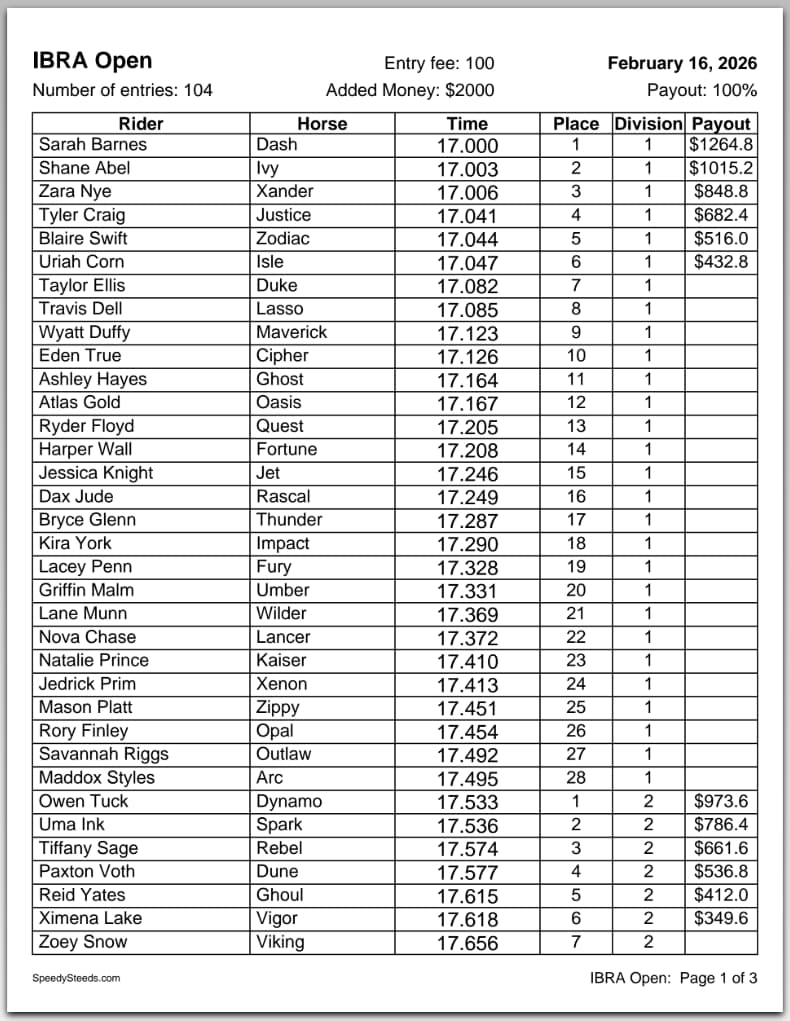
Event Results
From any event’s result table, use the print/export menu to generate:
- Result sheets - Sorted by division, showing placements, times, penalties, and payouts
- Division selection - Choose whether to export payout divisions, point divisions, or both
- Organization selection - When an event calculates points for multiple organizations, choose which organization’s divisions to include
Draw Orders
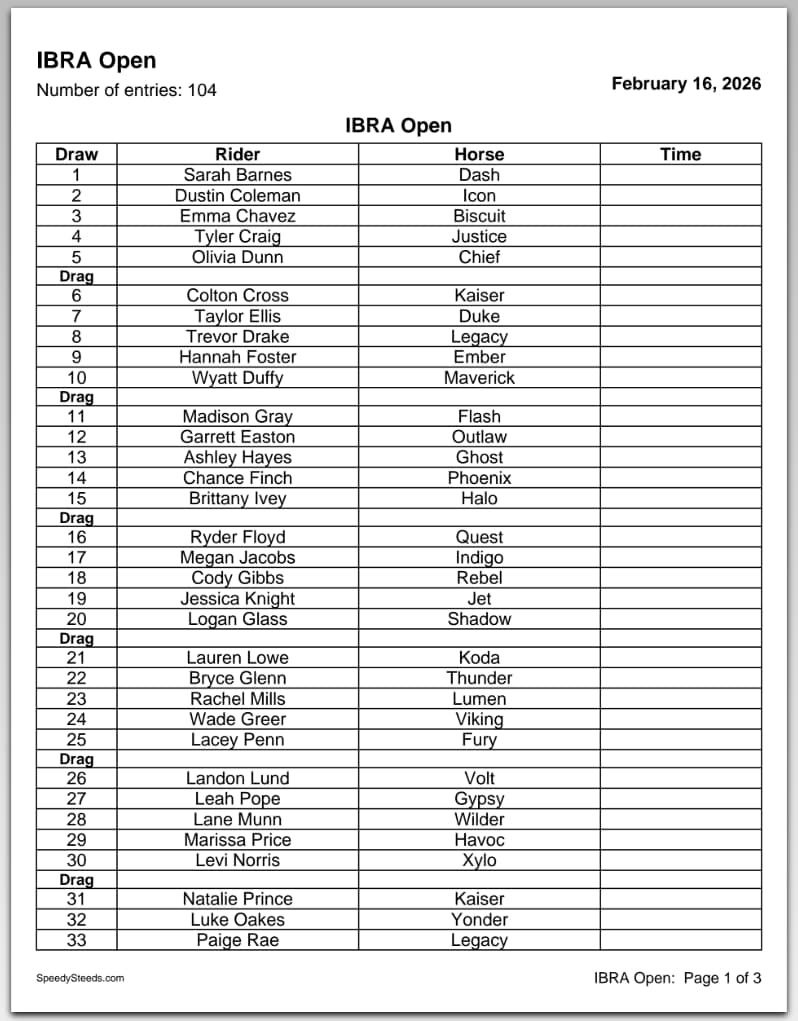
Export the run order for an event, showing each rider-horse entry in draw position sequence. The drag interval is printed on the draw sheet so your arena crew knows when to drag.
Season Standings
From the Points & Standings dialog, export the accumulated standings for a season:
- Select the organization
- Export shows each rider’s total with per-show breakdown
- For horse-only organizations, the export displays the horse name as the primary identifier with the rider name in parentheses
Fee Summaries
Export rider fee breakdowns and payment status from the Show Fees & Billing view.
Multi-Round Exports
For events with multiple rounds:
- Export each go-round’s results separately
- Export the average standings
- Export the short go results
- Each round type can be exported independently with its own division breakdown
How to Export
- Navigate to the event, show, or standings view you want to export
- Click the print/save menu button
- Select the export format (PDF or Excel)
- Choose the division type and organization if applicable
- Select a save location using the file picker
The file picker remembers your last save location, making it quick to export multiple files to the same folder.
See Also
- Results & Scoring - The result table that feeds into exports
- Points & Standings - Season standings exports
- Show Fees & Billing - Fee summary exports
- Draw Management - Draw order exports