Show Fees & Billing
SpeedySteeds tracks all fees associated with a show and lets you monitor who has paid and who hasn’t. Fee structures are defined in the show template and applied automatically when riders are registered.
Fee Components
Each rider’s total fee at a show can include:
Office Fee
The administrative fee defined in the show template. It’s charged either per entry (for each event the rider enters) or once per show, depending on the template setting.
Entry Fees
The per-event fee set when creating the show. Each event the rider enters adds its entry fee to their total.
Expo Fee
If the show template has expo runs enabled, riders who participate in exhibition runs select from the configured expo fee tiers. Tiers support bundle pricing (e.g., 1 run for $2 or 3 runs for $5).
Custom Fees
Additional charges defined in the show template:
- Standard fees - Applied once per rider per show (e.g., parking)
- Optional fees - Rider chooses whether to add them (e.g., camping)
- Multiple fees - Can be applied more than once (e.g., stall rental for multiple horses)
Viewing Fee Breakdowns
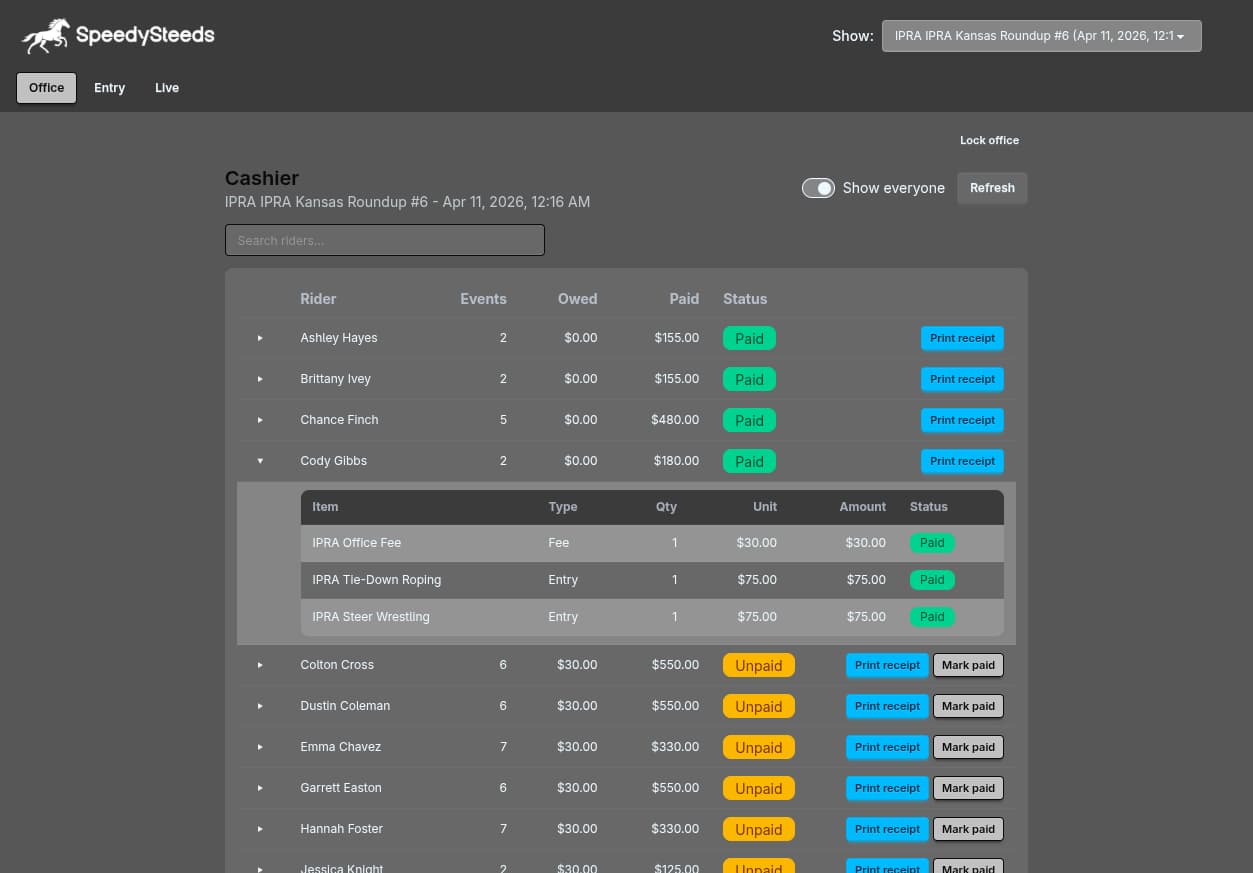
Navigate to a show and view the fee summary to see a per-rider breakdown of all charges. The fee display shows:
- Each fee component with its amount
- The total amount owed
- Payment status (paid / unpaid)
Tracking Payments
Paid In
Mark a rider as paid in when they pay their entry fees and other charges. This flag appears on the result table as well, so you can see payment status while entering results.
Paid Out
Mark a rider as paid out when you’ve distributed their winnings. This is tracked separately from paid-in status.
Payment status changes are broadcast in real-time to the local web portal, so anyone viewing the web interface on the local network sees updated payment information immediately.
Fee Calculation
The total fee for a rider at a show is calculated as:
Total = Office Fee + (Entry Fee x Number of Events) + Expo Fee + Custom FeesWhen the office fee is set to “per entry,” it multiplies by the number of events entered. When “subtract from entry” is enabled, the office fee is deducted from entry fees before jackpot payout calculations.
Printing Fee Receipts
You can generate a PDF receipt showing a rider’s fee breakdown. This is accessible from the print and export menu.
See Also
- Show Template - Configuring office fees, custom fees, and expo settings
- Show - Setting entry fees and added money per event
- Results & Scoring - Paid in / paid out tracking on the result table
- Local Web Portal - Viewing fee data from the web interface